A blog post can point at one of your own prompts. Link it once and the post promotes the prompt wherever the post appears, while the prompt page links back. Writing blogs is free on every plan.
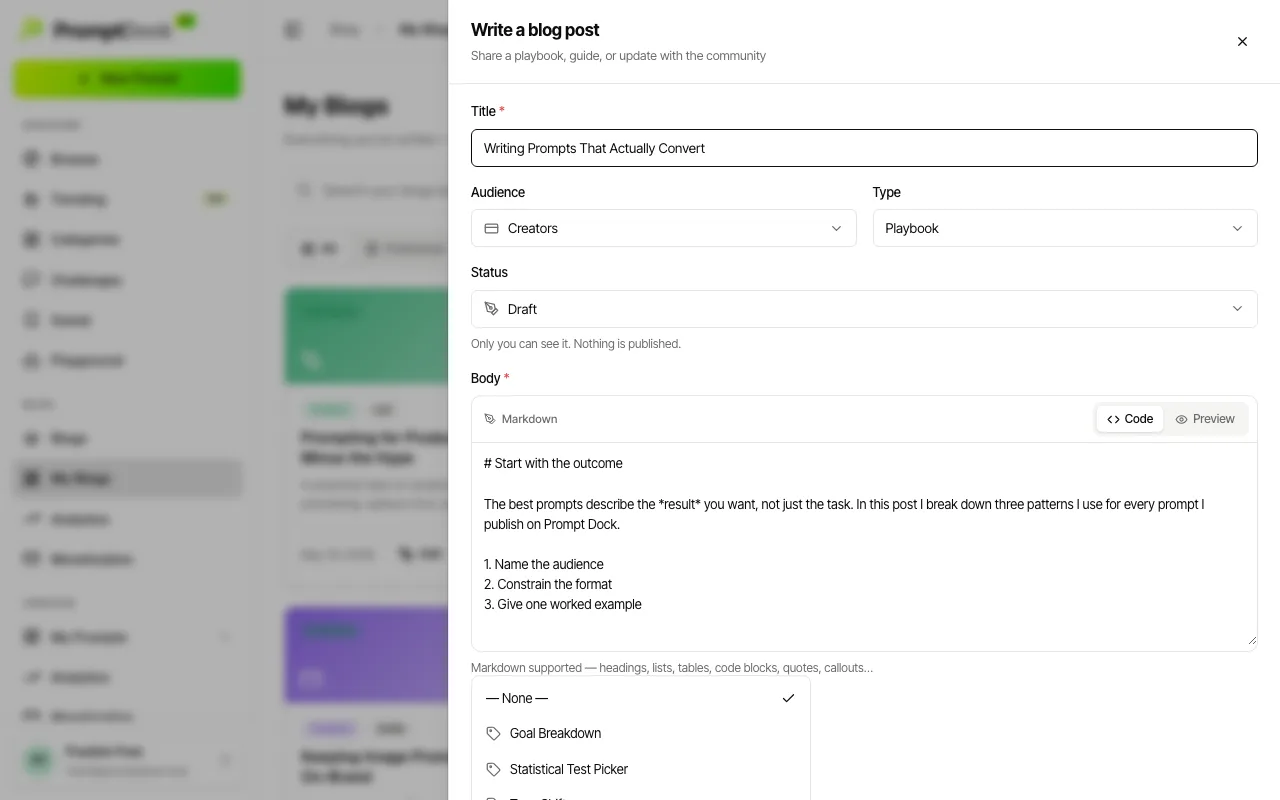
Linking a prompt
- Open Creator → My Blogs in the sidebar, then hit Write a post or Edit an existing one.
- Scroll to the Link a prompt (optional) menu and pick one.
- Save or publish the post as usual.
The menu offers your prompts only, in any status, so you can pre-link a prompt that is still a draft and ship both later. The server checks ownership again when the post saves: linking someone else's prompt is refused outright, which keeps a popular prompt's traffic from being hijacked.
A post carries at most one prompt. A prompt can be the subject of as many posts as you care to write.
What readers see
- On the public post, a "The prompt behind this post" card links straight to the prompt. It appears only once that prompt is itself published and public, so a linked draft stays private until you ship it.
- The article's structured data names the prompt too, so search engines can see the two pages belong together.
- On the prompt's detail page, a Related Blogs section lists your published posts that link it. Drafts and unlisted posts never show up there.