Blogging is open to every member. Share a walkthrough, a prompt-engineering idea or a product update, and build an audience for your prompts.
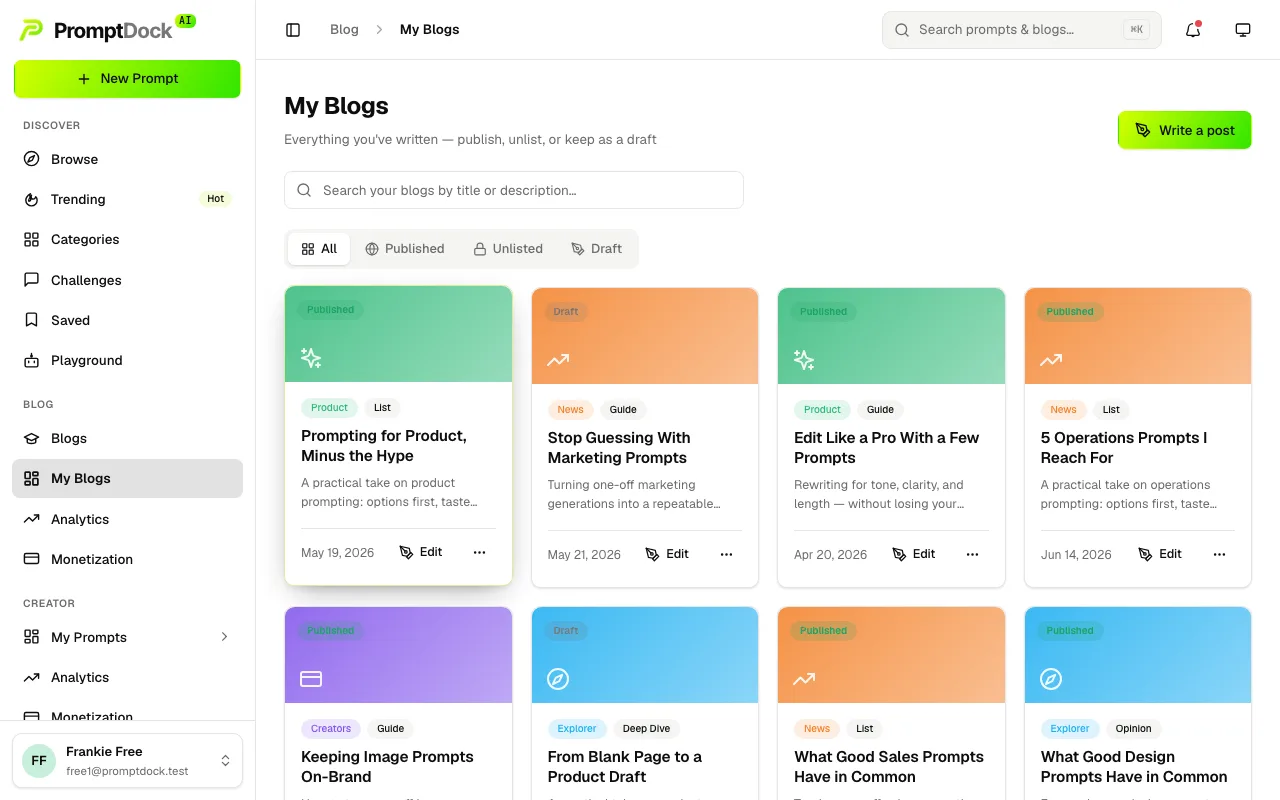
Writing a post
- Open My Blogs in the sidebar, under Creator, and hit Write a post.
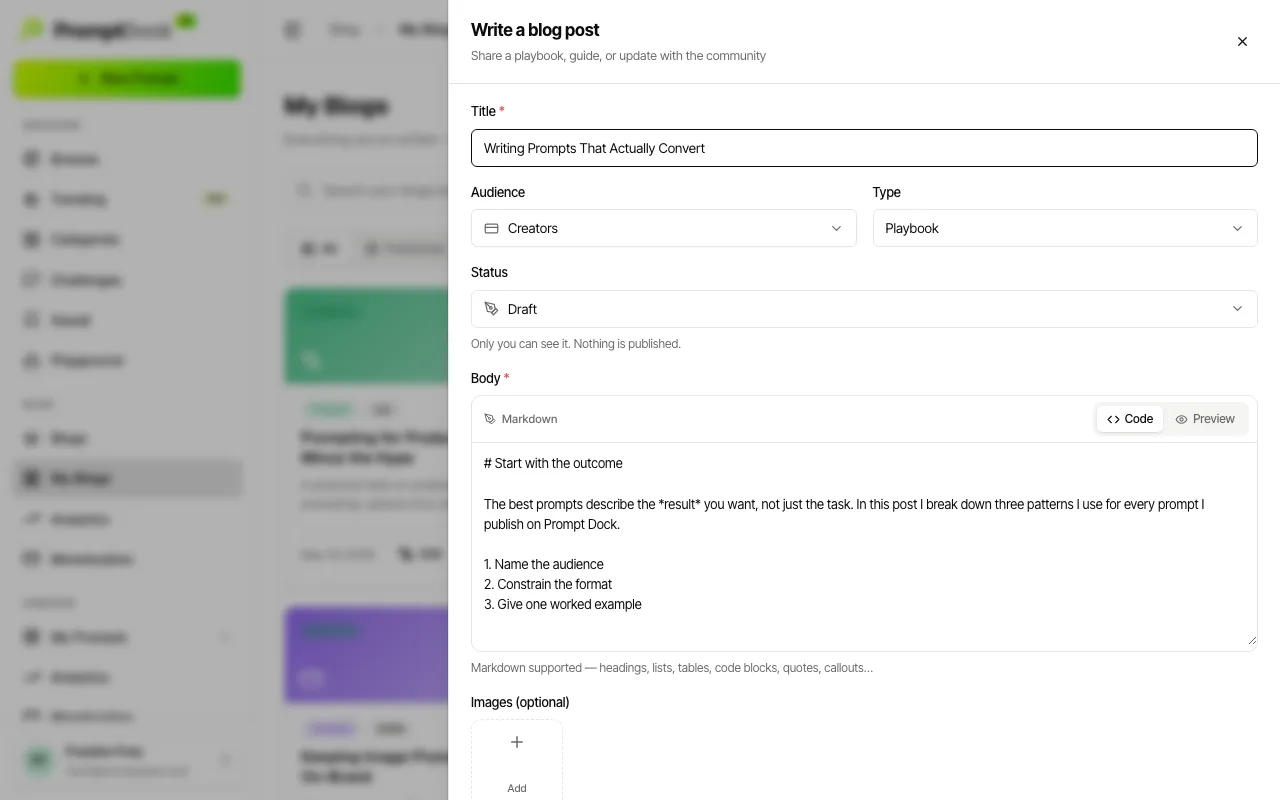
- Give the post a title and a body. Those two are the only required fields. The short description is optional, and it is what readers see on the card, in search results and on the share image.
- Pick an audience (Creators, Explorer, Product or News) and a type (Playbook, Guide, Case study, Product or Opinion). The audience drives the rail on the in-app Blogs page; the type becomes the category chip on the public blog.
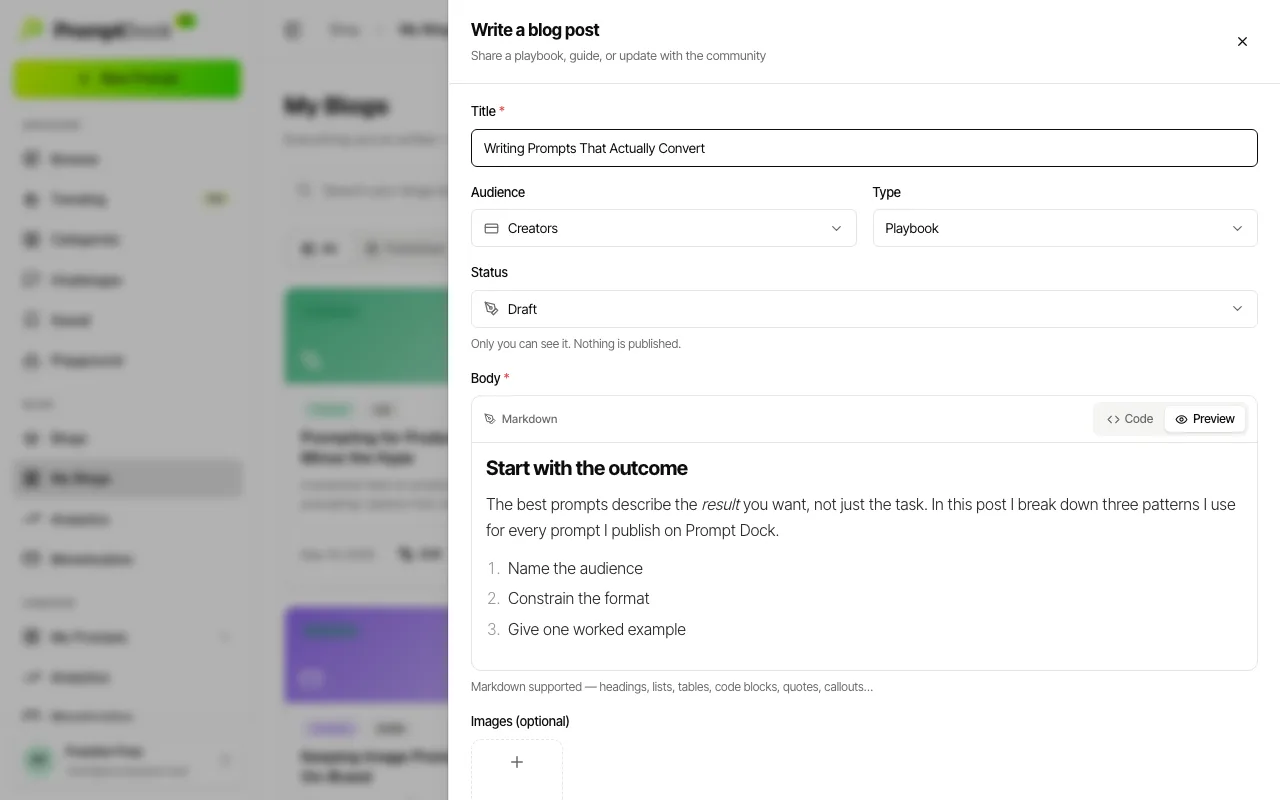
- Write the body in markdown. Headings, lists, tables, code blocks, quotes, callouts and images all render. The Preview tab shows exactly what a reader will see.
- Add up to 5 images if you want them. The first one is the featured image: it leads the post, and Feature promotes any other image to the front.
Publishing
Blog posts are author-controlled. There is no review queue, so the status you pick takes effect immediately:
- Draft — only you can see it. Nothing is published.
- Published — live and listed in Blogs for everyone.
- Unlisted — live, but only reachable by direct link and never listed. Useful for sharing a post before you announce it.
You can move a post between the three at any time, and editing a published post never takes it offline.