Two lightweight actions keep track of prompts worth returning to. Both work on every plan, the moment you are signed in.
Save it for later
Hit the bookmark icon on any prompt card, or Save on a prompt's detail page.
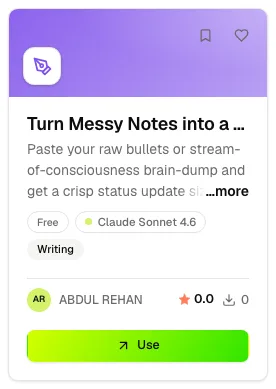
Saved prompts collect under Browse → Saved in the sidebar. The list is yours alone: nobody else sees it, not even the prompt's author.
Like it
The heart on a card, or Like on the detail page, records a favorite. Unlike a save, this one counts in public: the likes figure in a prompt's stats row is the running total of everyone's likes, and it is the signal readers use to judge a prompt at a glance.
The Saved page
Four tabs sit across the top:
- Saved — the prompts you bookmarked.
- Likes — the prompts you liked, plus any skills you liked.
- Unlocked — every prompt whose template you have revealed, free or premium. The unlock itself never expires, though reading another creator's premium template still needs a current Explorer, Premium Creator or Master plan.
- Skills — the skills you saved from a skill page.
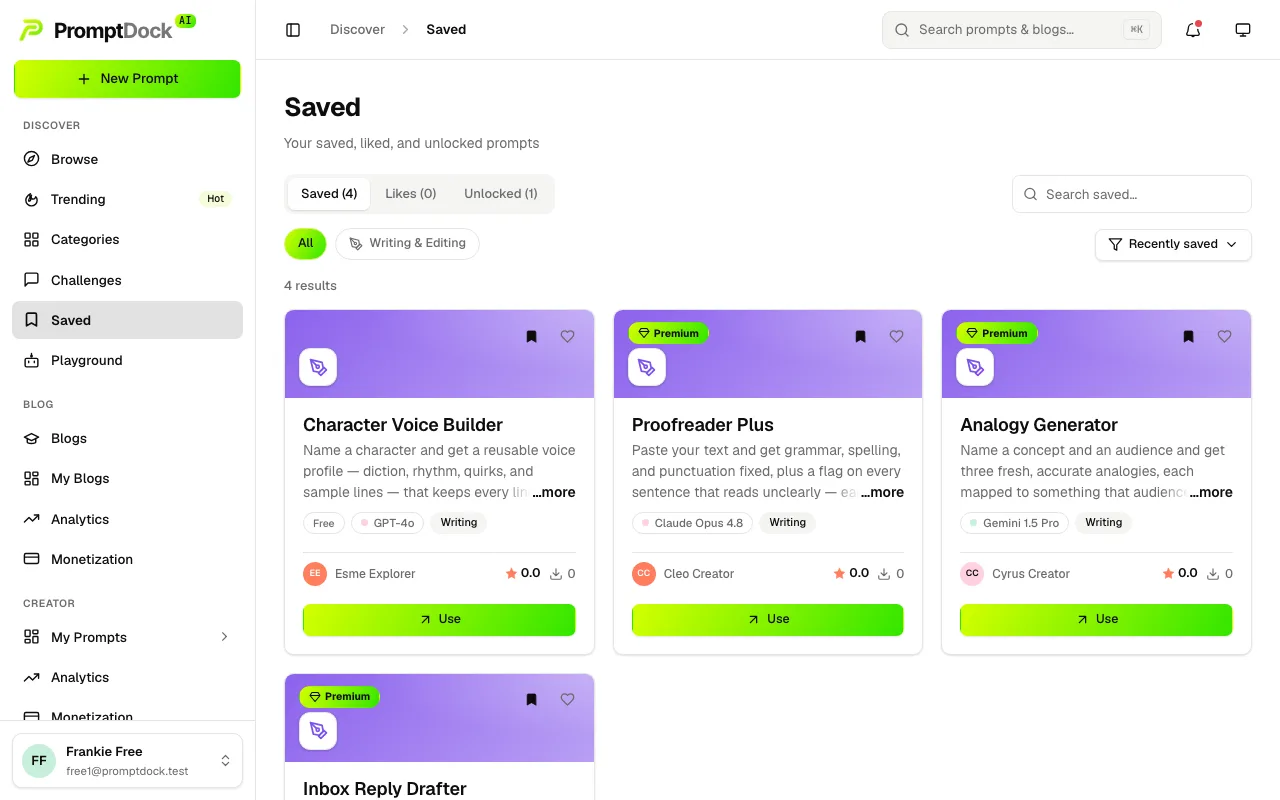
A search box, the category chips and a sort control narrow the prompt tabs. Every card keeps its bookmark and heart, so you can drop something out of the list without leaving the page.
Skills work the same way
Each skill page carries its own Save and Like. Saved skills land on the Skills tab; liked skills join the Likes tab under their own heading.